Rategenie Help Center Rategenie Help Center
  • Overview
    • Reset My Rategenie Password
    • Managing and Adding Users in Rategenie
    • Multi-Language Support for Rategenie
    • Rategenie Setup Checklist
    • Change My Rategenie Password
  • Listings
    • Push Rates: How to manually push rates to your channel listing
    • Connect to Airbnb through Rategenie
    • Listings Overview
    • Import Bookings: How to import listing availability into your rental calendar
  • Rates
    • Length Of Stay (LOS) Discounts: How to get guests to book longer stays
    • Rental Settings: How to update rental details
    • Cost Estimator: How to preview the cost of a booking
    • Manual Rates: How to set nightly rates manually
    • Rate Mappings: How to configure channel rate pushes
    • Market Base Rate Recommendation: How to choose a base rate for specific rentals
    • Calendar Options: How to make changes directly from the calendar
    • Rental Rate Settings: How to customize rates for specific rentals
    • Export Rates: How to download rates to an external device
    • Rategenie Rates Overview
    • Rate Breakdown: How to understand your rental rates
    • Market Data: How to choose a price percentile for specific rentals
  • Hold Events
    • Hold Events Overview
    • Hold events: How to export hold events from Rategenie
    • Hold Events: How to manually block calendar dates
  • Integrations
    • Rategenie Integration with Channex
    • Rategenie Integration with Uplisting
    • Rategenie Integration with Cloudbeds
    • Rategenie Integration with Lodgify
    • Rategenie Integration with Zeevou
    • Rategenie Integration with Beds24
    • Apaleo Integration with Rategenie
    • Rategenie Integration with Hospitable
    • Rategenie Integration with Stays.net
    • Hostex Integration with Rategenie
    • Rategenie Integration with Booking automation
    • Rategenie Integration with FantasticStay
    • Rategenie Integration with OwnerRez
    • Rentalwise Integration with Rategenie
    • Rategenie Integration with HotelAvailabilities
  • Rentals
    • Download Rentals: How to export rentals from Rategenie
    • Add Rental: How to add rentals to your Rategenie account
    • Enable/Disable Rategenie rates for your Rentals through "Managed" toggle
    • Rentals Overview
  • Strategies
    • Date Specific Rule: How to set promotional rates for special dates
    • Copy Rule: How to copy rules from other strategies in your account
    • Last Minute Adjustment Rule: How to increase your occupancy for upcoming dates
    • Day Specific Rule: How to set special rates for certain days of the week
    • Channel Adjustment Rule: How to set different rates on different channels
    • Special Events Rule: How to automatically adjust pricing for events near my rental
    • Gap Night Adjustment Rule: How to increase occupancy for nights between bookings
    • Change With Occupied Bedroom Count: How to set your rates according to bedroom occupancy
    • Month Adjustment Rule: How to set different rates for different months of the year
    • Booking Restriction Rule: How to automatically apply Booking restrictions for Booking.com
    • Genie Strategy (old): How to let Rategenie set your nightly rates
    • Weather Adjustment Rule: How to set rates based on the weather forecast
    • Advanced Booking Adjustment Rule: How to increase occupancy for future dates
    • Minimum Nights Rule: How to specify a different length of stay on certain days of the week
    • Genie Strategy: How to let Rategenie set your nightly rates
    • Currency Adjustment Rule: How to push different currencies to different channels
    • Seasonal Adjustment Rule: How to set rates and min night stays for certain seasons each year
    • Additional Guest Rule: How to charge for extra guests on a booking
    • Other Strategy: How to customize your rates using different strategies
    • Strategies Overview
Listings / Push Rates: How to manually push rates to your channel listing /
Website Login

Push Rates: How to manually push rates to your channel listing

Do you need to push rates out immediately to complete a channel connection, or have some other reason for pushing rates manually? With the Push Rates feature, you can now manually sync your rental rates with a channel listing.

Rate pushes are not instantaneous. Please allow some time for the previous update to process, before pushing the rates again.

1. Click on the channel listing.
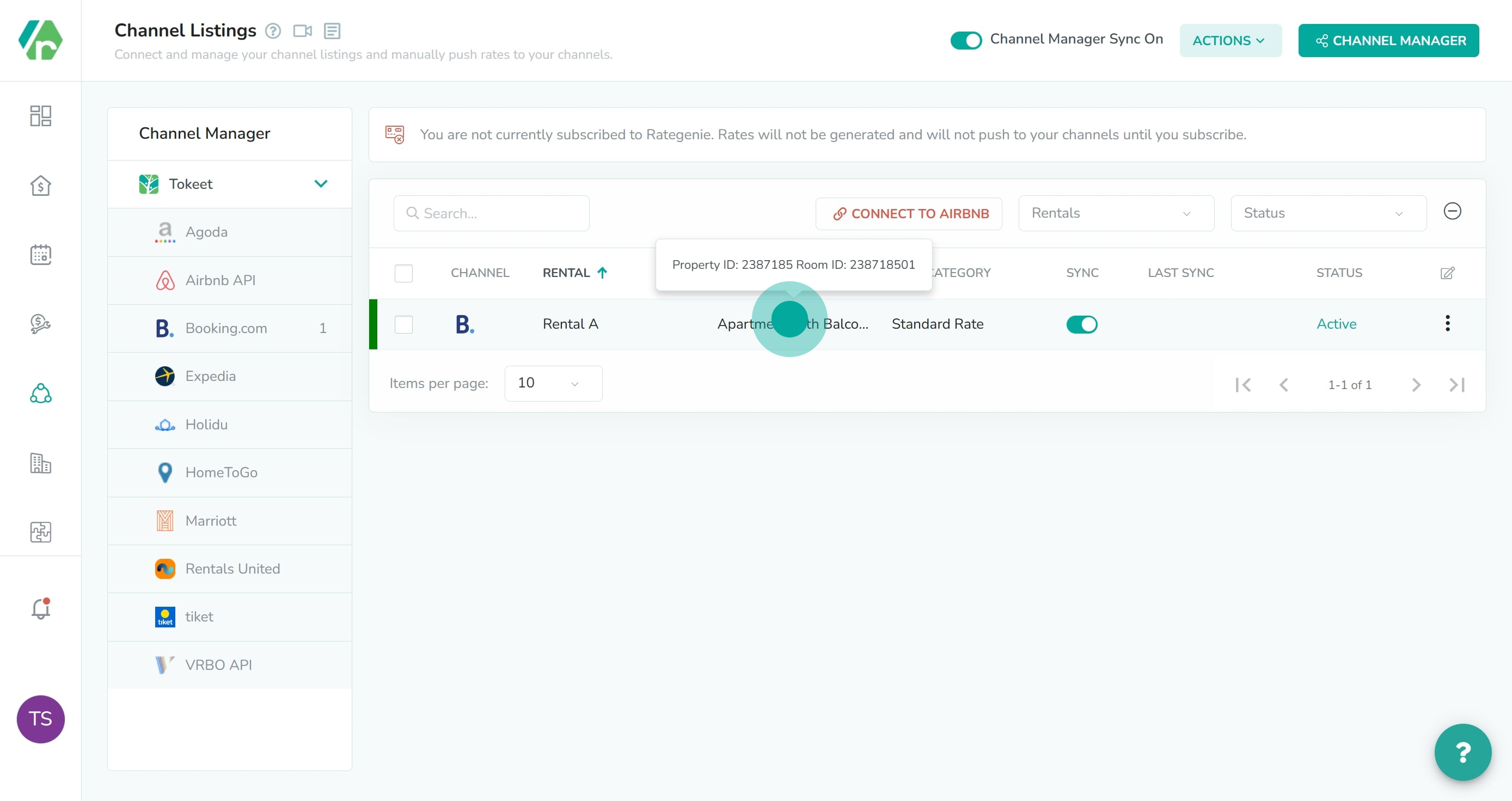
1 Click on "Apartment with Balcony".

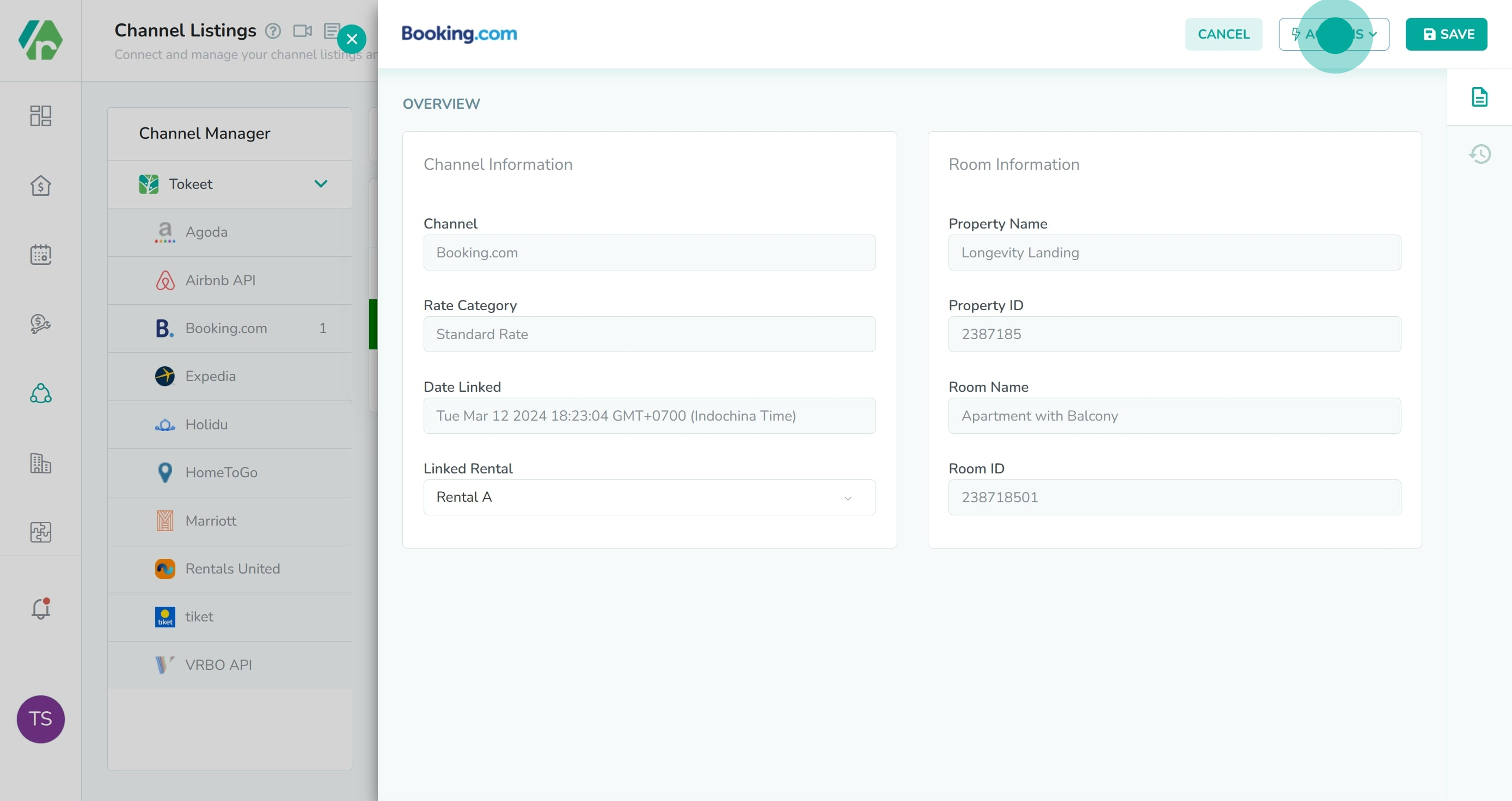
2. Next up, click on "Actions".

2 Next up, click on "Actions".

3. Following that, click on "Push Rates".
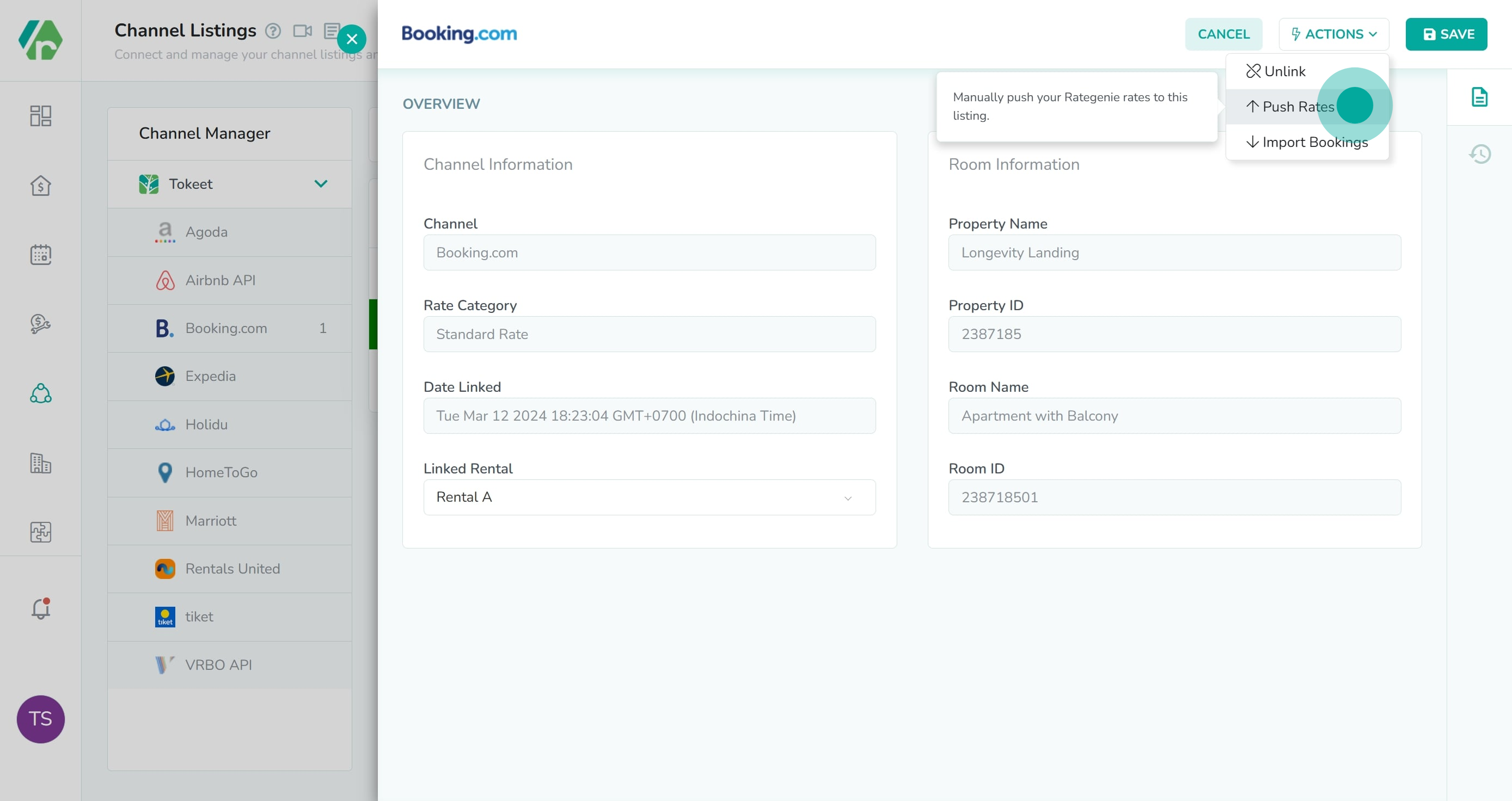
3 Following that, click on "Push Rates".
As always, please contact us with questions any time. We're happy to help.
← Previous Change My Rategenie Password In Overview Next → Connect to Airbnb through Rategenie In Listings

Related articles

  • Listings Overview
  • Import Bookings: How to import listing availability into your rental calendar
  • Currency Adjustment Rule: How to push different currencies to different channels
How did we do? Thank you! We appreciate your feedback.
Website Login
Copyright © 2026 rategenie.io. All Rights Reserved.
No documents match your search.
Searching...